



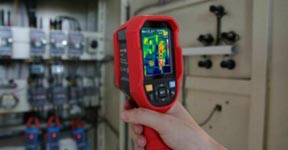
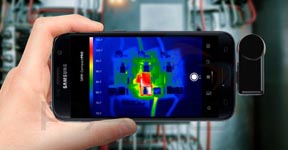
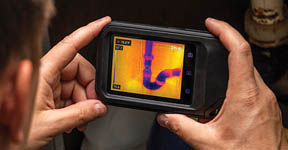
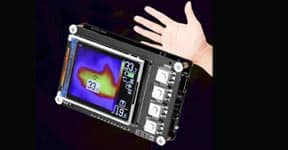


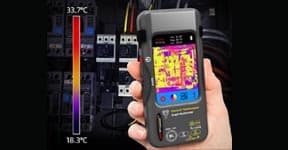


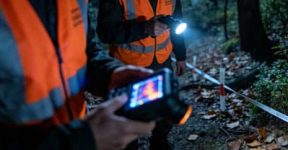

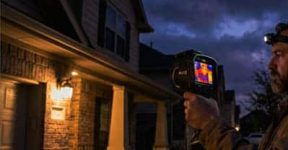
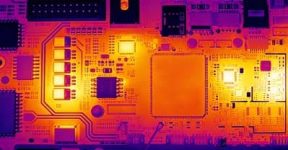
Thermal imaging technology is no longer reserved for industrial experts or professional inspectors. With the rise of smartphone thermal cameras, anyone can now see heat patterns, detect temperature differences, and capture what the human eye cannot see — right from their phone. Whether you’re inspecting a building, fixing electrical systems, or exploring the outdoors, choosing the right thermal camera for your smartphone can make a world of difference.
So, how do you pick the one that fits you best? Let’s break it down.
Understanding What a Smartphone Thermal Camera Does
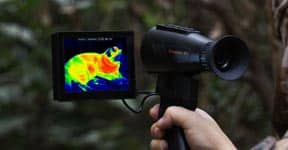
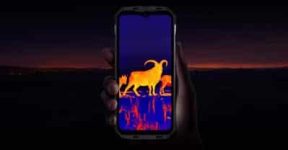
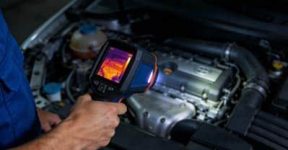
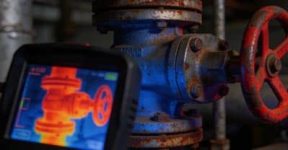
A smartphone thermal camera works by detecting infrared radiation (heat) and converting it into a color image that shows temperature variations. Warmer areas appear in bright tones like red, orange, and yellow, while cooler spots show up in blues and purples.
This simple concept has huge applications — from finding heat leaks in walls, spotting overheating machinery, or identifying hidden animals in the dark. Whether you’re a technician, a DIY enthusiast, or a curious explorer, a thermal camera can give you a brand-new way to understand the world around you.
Connection Type: Built-In vs. Plug-In Modules
There are generally two kinds of smartphone thermal imaging options: built-in and plug-in modules.
-
Built-In Thermal Cameras
These are integrated directly into certain rugged smartphones, giving you instant access to thermal imaging anytime, anywhere. You don’t need extra devices, cables, or apps — just open the camera and start scanning. This option is great for professionals who frequently use thermal imaging for inspections or safety monitoring. -
Plug-In Thermal Camera Modules
These are small external devices that connect to your smartphone’s USB or Type-C port. They’re lightweight, portable, and perfect for occasional users who need flexibility. You can attach them when needed and remove them when not in use — ideal for people who want advanced functionality without changing their current phone.
Both types deliver reliable performance, but your choice depends on how often you use it and the kind of work you do.

Resolution Matters — Clarity Defines Accuracy
When it comes to thermal imaging, resolution is everything. Higher resolution means more detail and better accuracy, especially when identifying small temperature differences.
For basic household use, a standard resolution around 160×120 pixels might be enough to detect insulation leaks or warm spots. But for professional fields like electrical inspection, HVAC, or mechanical maintenance, higher resolutions such as 256×192 or even 320×240 pixels will provide much sharper, more reliable data.
If your work requires analyzing temperature precisely or viewing from a distance, don’t compromise — invest in a higher-resolution camera.
Temperature Range and Sensitivity
Not all thermal cameras read temperature the same way. Some are designed for simple observation, while others are built for extreme industrial conditions.
A wider temperature detection range (for example, from -20°C to 550°C) lets you use it in more scenarios — from detecting cold air leaks to monitoring overheating engines. Meanwhile, thermal sensitivity (measured in millikelvins, or mK) indicates how well the device detects small temperature changes. A lower NETD value (like <40mK) means finer detail and smoother imaging, especially useful for technical analysis.
Frame Rate and Refresh Speed
If you plan to scan moving objects or perform live inspections, frame rate matters. A higher frame rate (like 25–60Hz) gives smoother, more responsive visuals, making it easier to spot rapid temperature changes in real time.
Lower frame rates may appear choppy or delayed, which might still work for static inspections but can be frustrating in dynamic environments.
Practical Applications — From Work to Adventure
The beauty of a smartphone thermal camera lies in its versatility. You can use it to:
-
Detect energy loss or insulation gaps in homes
-
Spot overheating electronics or machinery
-
Locate water leaks inside walls or ceilings
-
Assist in outdoor activities like wildlife observation or camping safety
-
Ensure equipment safety in workshops or factories
Its compact size and smartphone compatibility mean you can carry it anywhere — from job sites to hiking trails — without adding bulk to your gear.

Ease of Use and App Features
A good thermal camera doesn’t just depend on hardware — the app interface also plays a big role. Look for options that allow you to adjust color palettes, record video, compare temperature readings, and export thermal data easily.
Some advanced apps even let you blend thermal and visible light images for better context, or add temperature markers to specific areas. The easier it is to use and share your data, the more valuable it becomes in real-life applications.
Battery Efficiency and Portability
If you’re using a plug-in module, power consumption is an important detail. Some models draw power directly from your phone, while others come with built-in batteries to extend usage time. On the other hand, if you choose a built-in thermal smartphone, its large battery capacity usually ensures stable and long-lasting operation — crucial for fieldwork or long inspection days.
Final Thoughts — Choose Smart, See Smarter
Picking the right smartphone thermal camera comes down to your needs: frequency of use, required accuracy, environment, and budget. For professionals, a rugged smartphone with an integrated thermal sensor might be the perfect all-in-one solution. For casual users or part-time technicians, a compact plug-in thermal module offers an affordable and flexible alternative.
No matter which one you choose, you’re not just adding another gadget to your toolkit — you’re gaining a new perspective. You’ll see problems before they become visible, detect risks before they escalate, and discover details that ordinary cameras could never show.
In short, a smartphone thermal camera isn’t just a tool — it’s a smarter way to see the unseen.