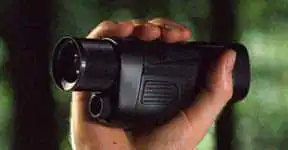
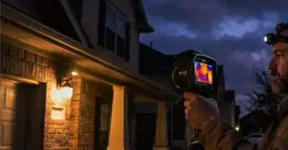
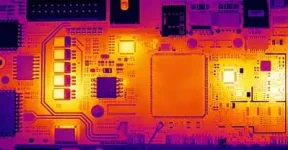
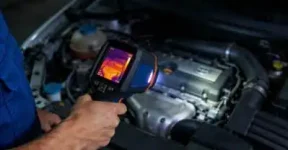
Best Thermal Monoculars selection notes for Wildlife Near Livestock Enclosures and Farm Estate Managers.
Thermal Goggles selection notes for open field scanning and rural property buyers.
Key takeaways for thermal goggles
Thermal goggles should be judged by smooth viewing, eye comfort, refresh rate, latency, weight balance, and verified thermal channel details.
Refresh rate can affect how natural motion feels, but processing delay and display behavior also matter.
Dual eyepieces do not automatically mean dual thermal sensors or true depth perception.
Use thermal goggles for stationary or slow, controlled observation; do not treat them as a safety navigation device.
Compatibility, battery, charging, and accessory claims should be verified against the exact product version.
What thermal goggles mean in this guide
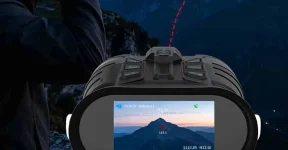
In this article, thermal goggles means a wearable or binocular-style thermal viewing device used for open field scanning and hands-free stationary observation. The article stays with consumer outdoor observation, not restricted-service positioning or generation-label claims. The focus is practical buyer fit for rural property buyers who care about refresh rate and motion smoothness.
Short answer on refresh rate and motion smoothness
Thermal goggles can fit open field scanning when the buyer needs a steadier, more natural viewing posture than a handheld viewer. For motion comfort, check refresh rate, display latency, image processing, eye alignment, and whether the device remains comfortable after several short observation sessions.
A higher frame rate can make panning and head movement feel smoother, but it is not the only factor. Noise reduction, sharpening, screen response, wireless preview, and recording compression can all make motion look different from still product images.
Use case guidance for open field scanning
Open field scanning works best when the observer is stationary or moving slowly in safe terrain. Thermal goggles can help locate heat contrast along field edges, paths, outbuildings, and areas with clear line of sight. Tall grass, brush, rain, fog, hot ground, and low temperature contrast can still hide or weaken targets.
For buyers who plan long sessions, comfort is a technical feature. Eye relief, diopter range, interpupillary fit, screen brightness, weight balance, battery cable routing, and button access affect whether the viewer can be used consistently. A sharp image on a table does not guarantee a comfortable field experience.
Scenario comparison table
Scenario
Feature to verify
Why it matters
Slow open-field scanning
Refresh rate and latency from real motion video
Smooth panning is easier to judge from movement than screenshots.
Stationary observation
Eye fit, brightness range, and weight balance
Comfort controls how long users can observe without fatigue.
Recording observations
Which channel is recorded and at what file size
Recorded video size is not the same as native thermal resolution.
Shared or team use
Adjustment range and reset steps
Different faces and eyesight need quick setup changes.
Outdoor storage
IP rating, lens protection, battery care, and service terms
Wearable devices see more handling and environmental exposure.
Product feature explanation
When comparing thermal goggles, keep native thermal resolution, enhanced output, display pixels, and recording format in separate rows. Also separate thermal sensitivity from temperature accuracy. NETD can describe small temperature-difference visibility under stated test conditions, but it does not prove absolute measurement accuracy or better recognition at every distance.
Refresh rate and motion smoothness should be evaluated with movement: turning the head, scanning across a field edge, and following a warm target at a controlled pace. If the product also has digital or visible channels, check whether those channels align with the thermal view and whether each has separate focus, recording, and display behavior.
FAQ
Does a dual-eyepiece thermal goggle necessarily have two thermal sensors?
No. Dual-eyepiece viewing can come from one thermal sensor feeding two displays or from a shared optical/display design. The number of eyepieces does not prove two independent thermal detectors or depth perception.
Can the eyepiece diopter compensate for my vision without changing the objective focus?
Usually the diopter adjusts the display or eyepiece for the user’s eye, while objective focus adjusts the scene. Buyers should verify the separate adjustment ranges because comfort and sharpness depend on both.
Why does the thermal scene seem to catch up after I turn my head?
That feeling can come from frame rate, display latency, image processing, or motion smoothing. A higher refresh rate may look smoother, but buyers should still evaluate real motion clips rather than only still images.
Can one eye dominate so strongly that I miss information from the other display?
Some users notice eye dominance, fatigue, or alignment sensitivity in binocular-style viewing. A careful fit check, brightness adjustment, and short practice sessions can be more useful than relying on a specification table alone.
Sourcing advice for thermal goggles
Ask for real motion video, native thermal resolution, field of view, display information, battery runtime conditions, adjustment range, and the exact accessory compatibility list. Avoid listings that merge thermal, visible, display, and recorded video specifications into one headline number.
The best thermal goggles choice is the one that matches your observation distance, eye comfort, viewing duration, and safe operating conditions without relying on unsupported claims.
Compare thermal monocular hunting for night nature recording, buyer fit, recording and wireless sharing, practical limits, and sourcing checks for nature...